
CHEATS ROB RUN: Aimbot, Player ESP and Radar
Looty Bay runs hot with police, robbers, and traffic. See how the Steam rob run menu groups Aimbot, ESP, Radar, loot markers, and weapon controls before you buy.
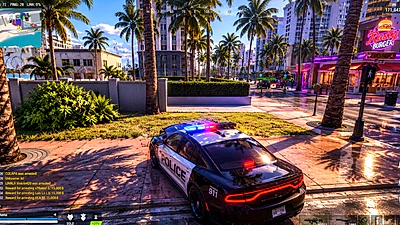
Looty Bay is busy: police, robbers, traffic, cameras, and bags all compete for your attention. That is normal in ROB RUN on PC—a robbery and extraction game where a quiet street can turn risky the moment you step outside with loot.
When players search for cheats rob run, they usually mean one menu that lists aim and awareness tools together: Aimbot, Player ESP, Radar, loot and vehicle markers, and weapon controls. The Rob Run Cheats product page documents those names for the Steam build so you can see what is included before checkout.
What the listed features cover
- Aimbot — aim assistance listed on the product summary.
- Player ESP — player awareness labels listed beside Wallhack and Radar.
- Radar — map-style awareness listed as its own feature name.
- Loot and vehicle markers — called out in buyer-facing copy as part of the rob run package scope.
- Weapon controls — grouped with combat helpers in the same menu family.
For a deeper read on individual labels, open Rob Run Aimbot, Rob Run ESP, and Rob Run Radar. Windows, Secure Boot, TPM, HVCI, and Cloud DMA stay on the requirements checklist—they are separate from feature names but still part of readiness.
Explore the menu, then pick an access plan
Explore every feature category on the product page, check the current build notes, and pick the access option that fits your plans. Checkout on this site runs through Zadeyo; compare monthly and lifetime pricing before you open purchase options. Return to the Rob Run homepage for the full product catalog.